FishVue Fleet
A web-based dashboard for live positions, historical trails, closed-area alerts, fishing activity views, and EM system status monitoring.
Fleet Visibility
Built for fast situational awareness and proactive oversight.
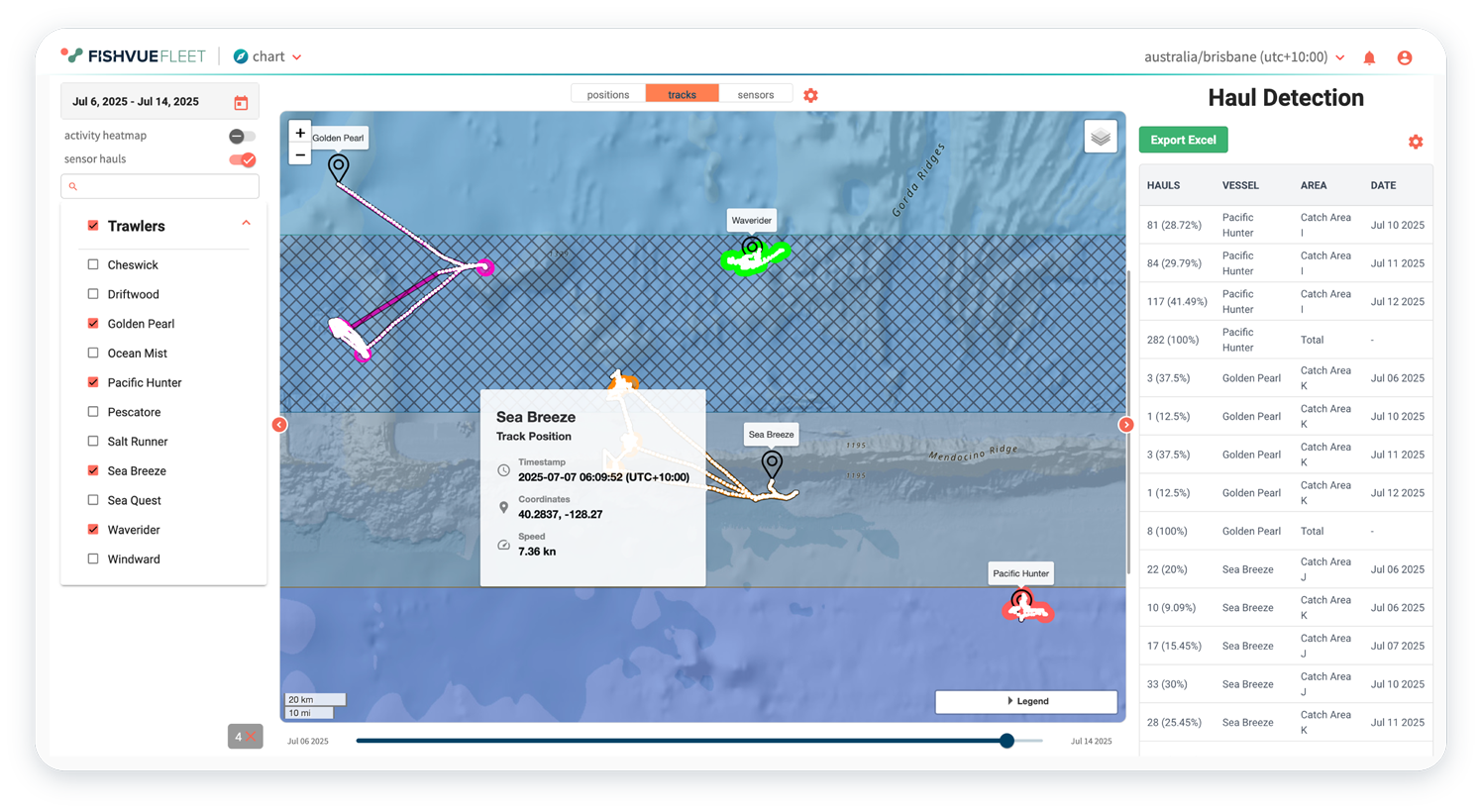
Live location with historical context
Current position plus historical vessel trails.
Fleet provides a map-based view of vessel activity, combining current position with historical tracks for context. This supports rapid location checks, clearer understanding of vessel movement patterns, and faster response when conditions or requirements change.
- Locate vessels by fleet or individual vessel
- View current position and historical track in the map
- Hover over points for additional details
- Scroll through track history using the timeline bar
Detect closed-area activity and respond
Support proactive compliance and oversight.
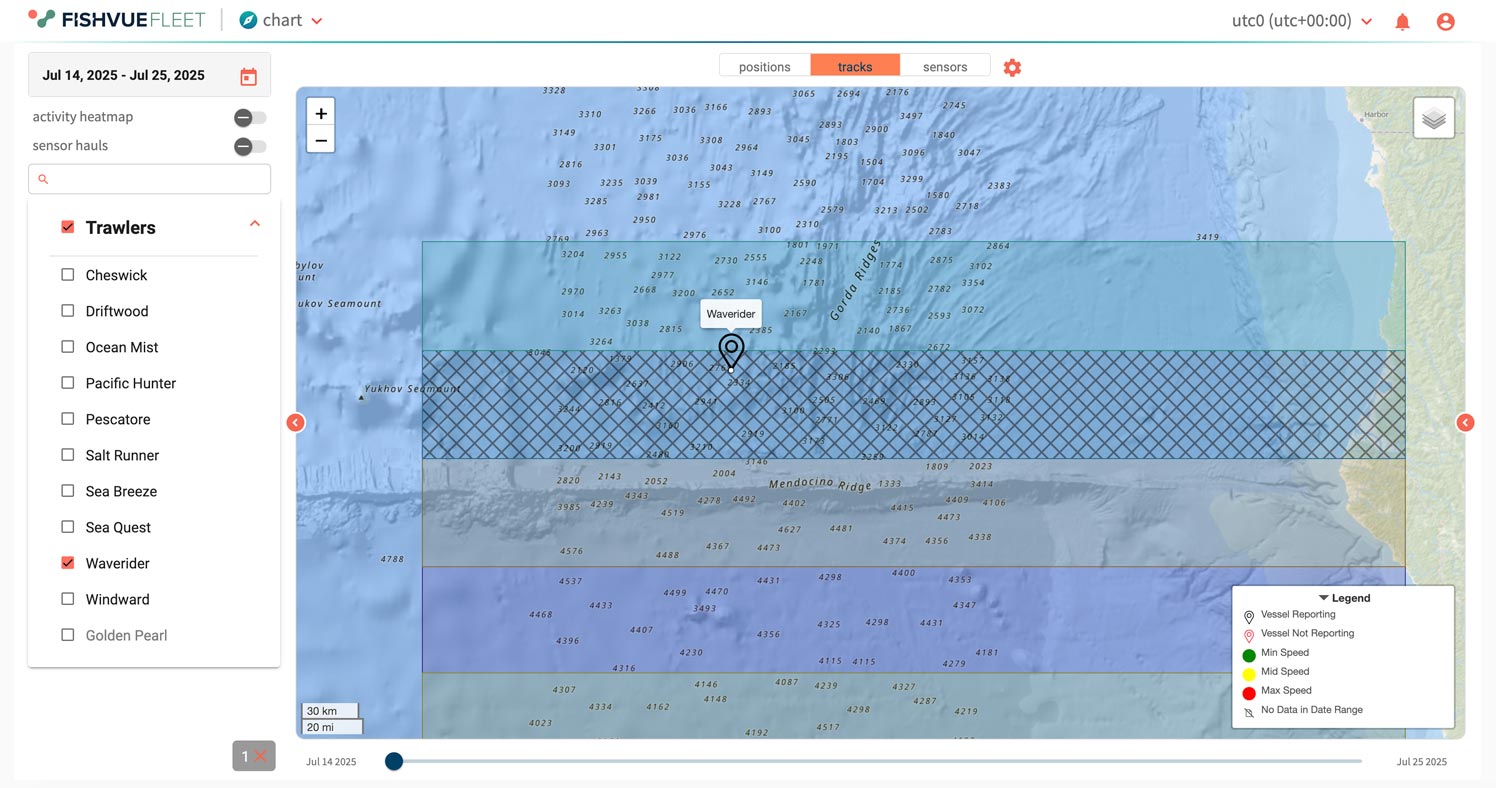
Fleet supports proactive compliance by pairing vessel trails with closed-area context. Teams can confirm whether a vessel entered or passed through a closed zone and use notifications to respond quickly when an incursion is detected.
- Determine if a vessel entered a closed fishing area
- Receive notifications for biologically or legally closed zones
- Review the track history around an alert
- Support enforcement monitoring and oversight workflows
Activity insights powered by EM data
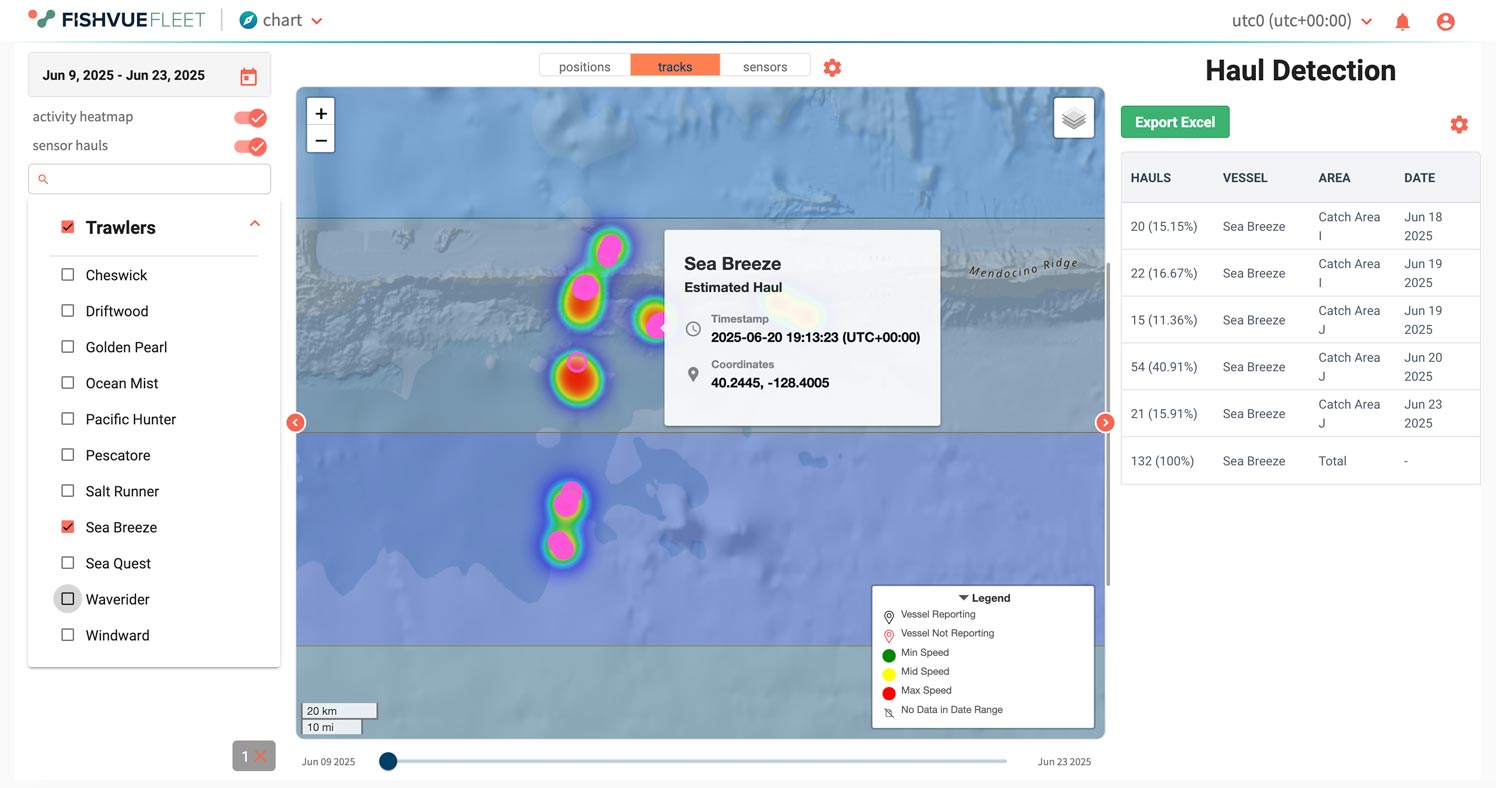
Activity views informed by sensor data.
Fleet provides activity context derived from onboard EM inputs, enabling hauls and locations to be tracked and analyzed across time. Viewing fishing activity by sensor type helps teams interpret gear deployment and retrieval patterns and focus attention on periods that matter.
- View fishing activity by sensor type
- Identify when gear is deployed and retrieved
- Track hauls and locations in live and historical views
- Use activity context to prioritize follow-up
Grouping that improves program insight
Subfleet structure supports program reporting.
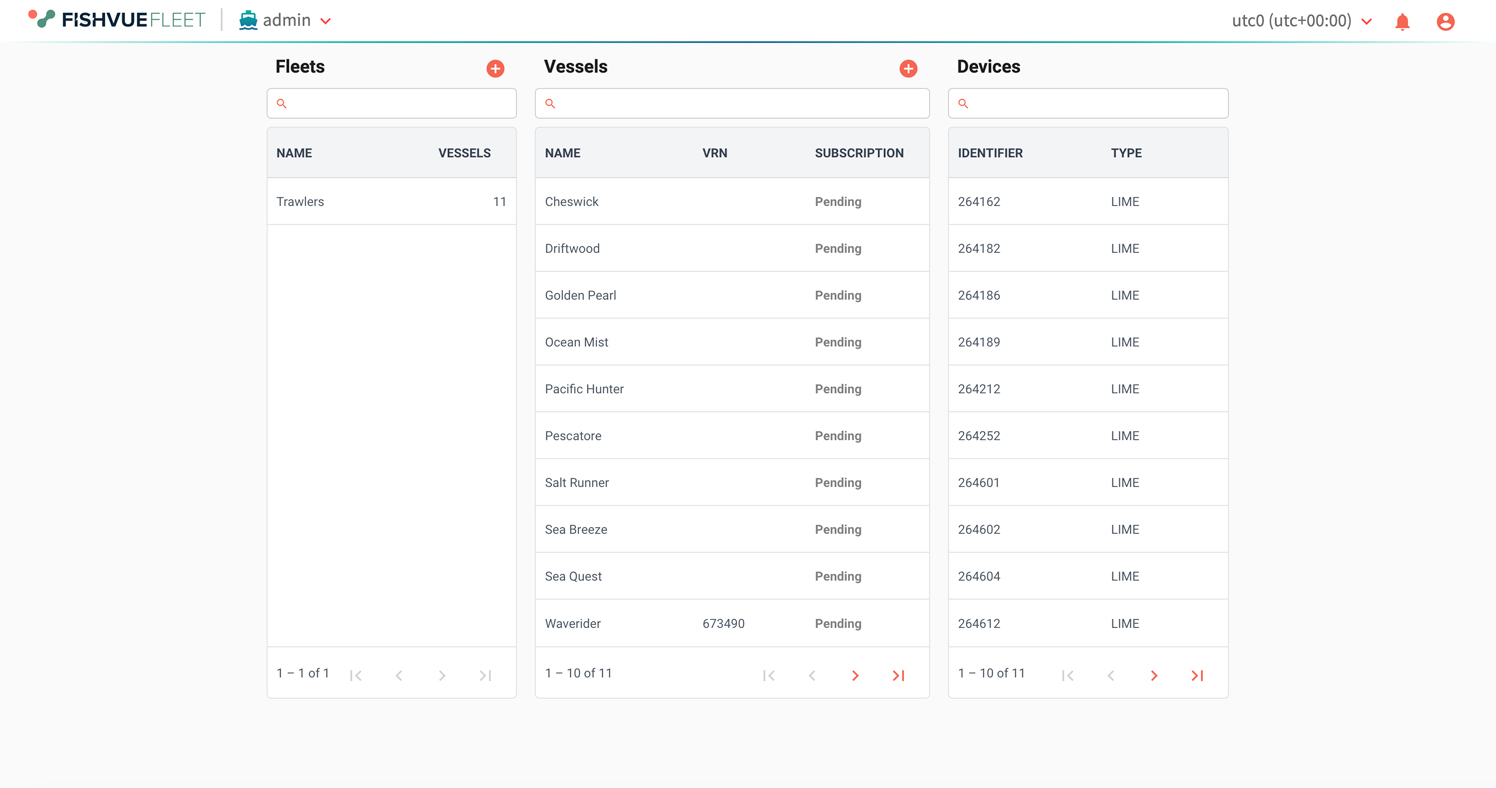
Fleet is designed for programs that manage more than a few vessels. Fleet and subfleet organization supports faster navigation and clearer program segmentation, helping teams view the right set of vessels without manual filtering each session.
- Manage vessel membership in fleets and subfleets
- Group vessels by region, owner, or fishery
- Improve program insight through consistent grouping
- Reduce time spent searching across fleets
A quick tour of Fleet features.
Explore Fleet’s web-based map view for live and historical vessel activity. The video highlights date filtering, activity heat maps, track-point detail views, map layers, and quick status checks for reporting health.
Operations and Support
Tools for system visibility, troubleshooting, and program reporting.
Support troubleshooting with clear indicators
Use status signals to guide support.
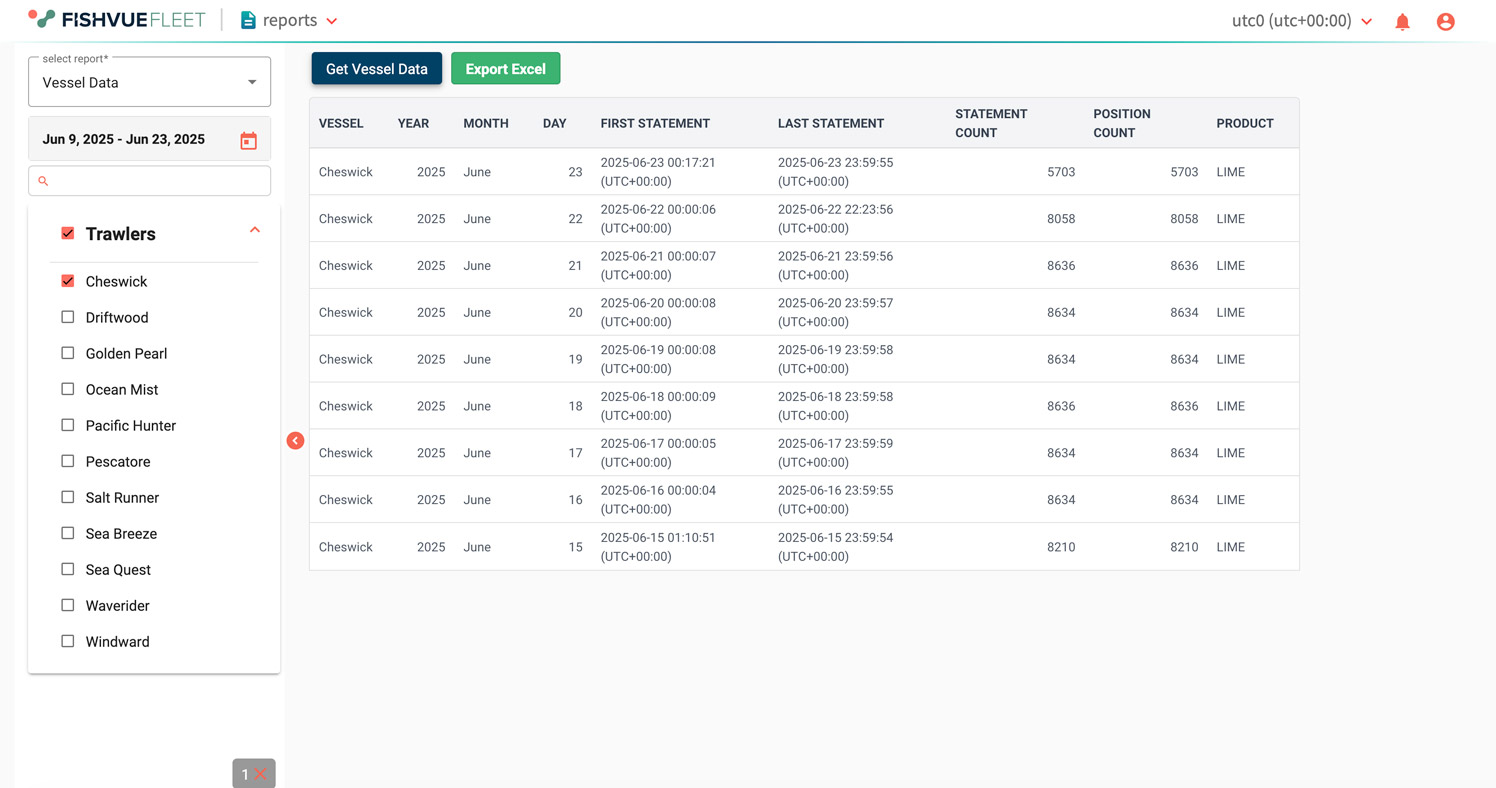
Fleet supports technical oversight by surfacing system health indicators that can be checked from shore. This helps teams confirm whether an onboard system is reporting as expected and identify when follow-up is needed, including cases where remote diagnostics or configuration updates are part of the support model.
- Determine whether an EM system is operational
- Review status using track and recency of reports
- Monitor connectivity, performance, and subscription status
- Support remote diagnostics and configuration workflows
See patterns that explain performance
Compare activity and system behaviour over time.
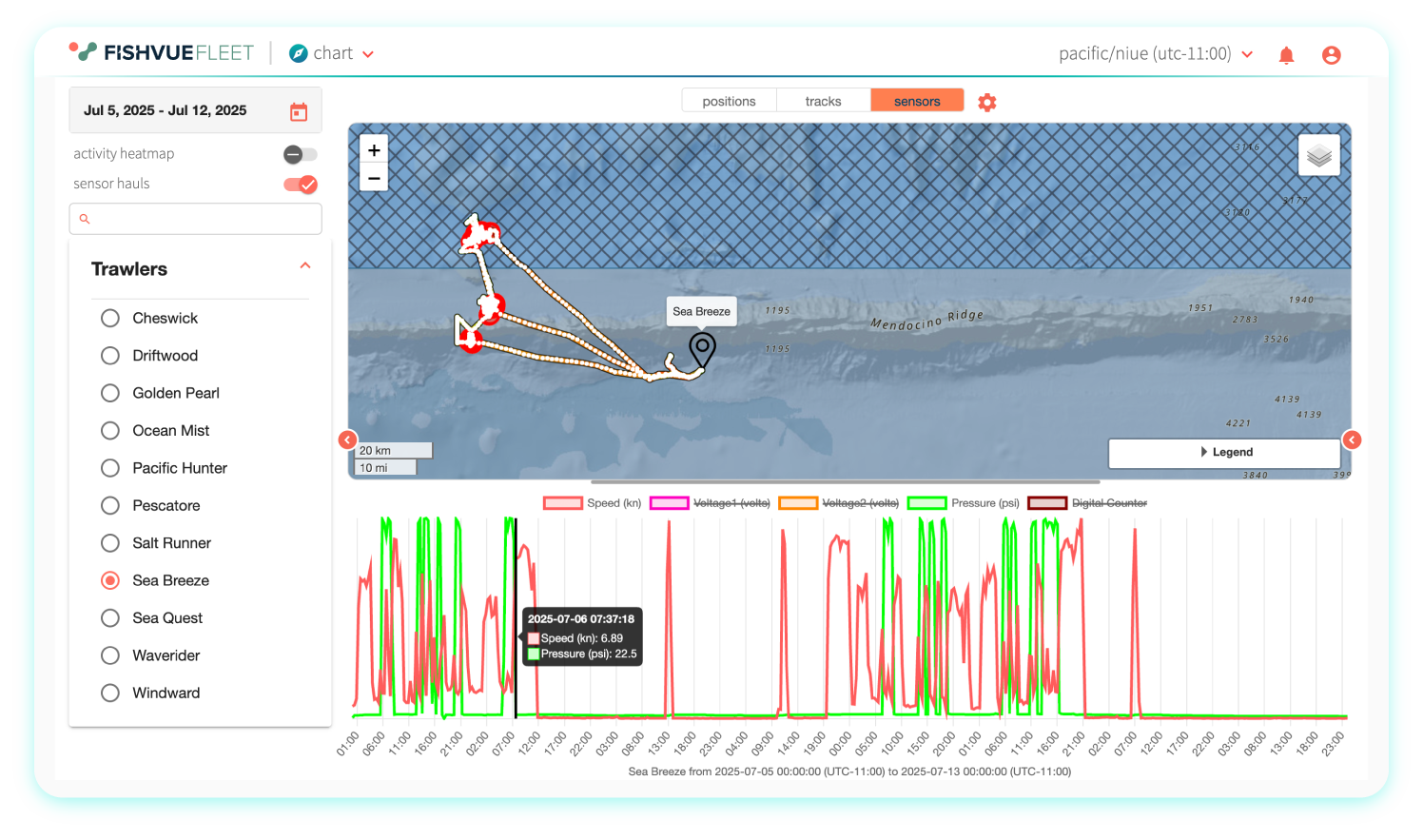
Fleet’s graphs provide a time-based view of vessel data that can support troubleshooting and review of operational patterns. This helps teams identify trends, confirm expected sensor behavior, and understand when a system may require attention.
- View graphs of vessel data over time
- Use time-series views to support troubleshooting
- Add context to activity and system performance checks
- Improve follow-up decisions with clearer trends
Configure notifications that keep teams informed
Rule-based alerts tied to vessel activity.
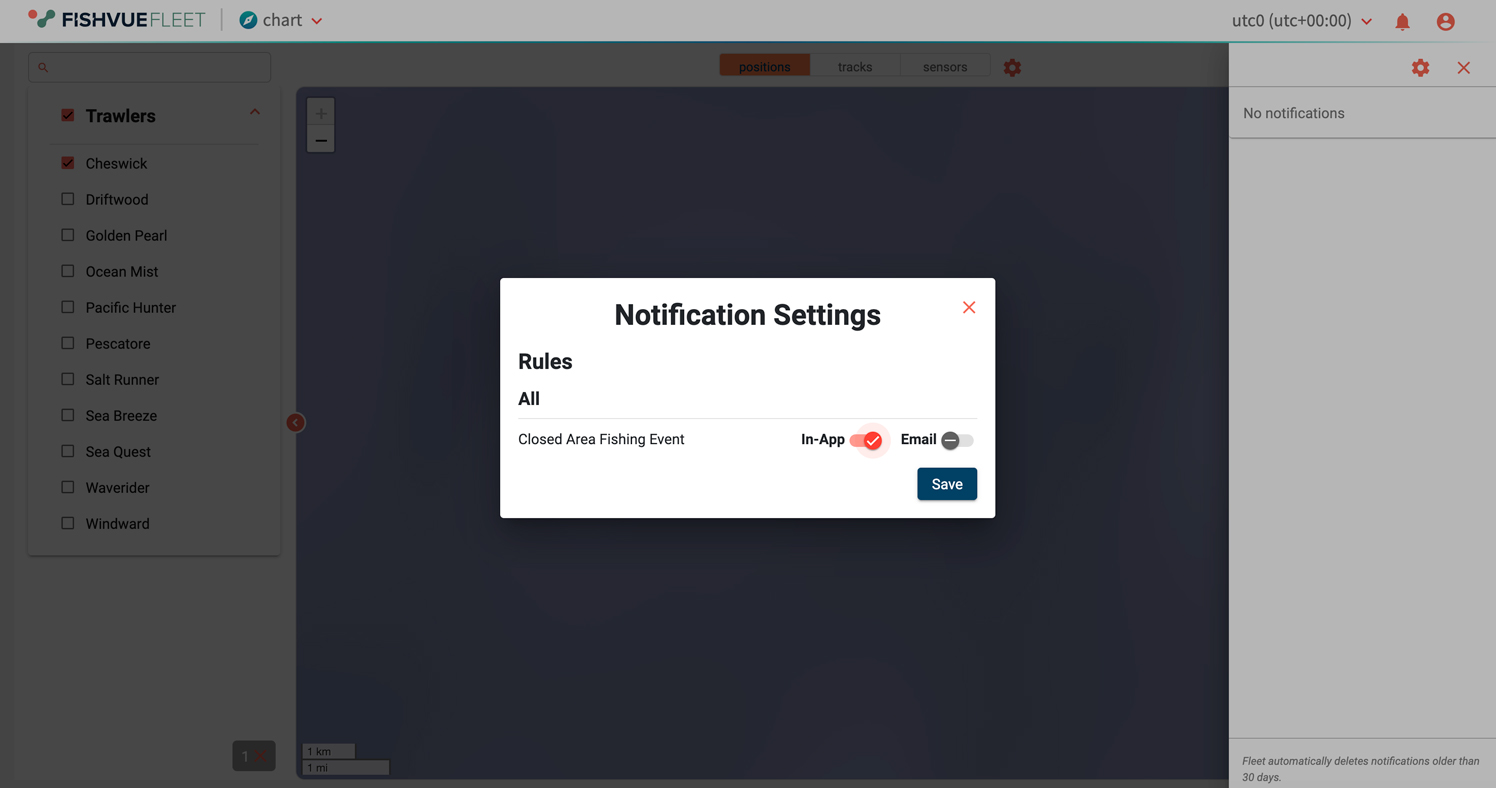
Fleet supports user alerts and program reporting, including customer-specific summaries of vessel activity. Notifications can be configured based on vessel data and location to keep teams informed without constant manual checking.
- Configure user alerts based on vessel data and location
- Generate customer-specific reports and activity summaries
- Reduce manual monitoring through notifications
- Support program documentation and follow-up workflows
Fleet visibility for Vantage and LIME
Real-time oversight across onboard configurations.
Fleet connects to onboard monitoring to support proactive oversight without waiting for end-of-trip review. Vantage feeds Fleet with data that enables real-time system checks and remote monitoring. For LIME deployments, Fleet time-series views can be used to validate sensor behavior, supporting clean setup verification and ongoing troubleshooting. Data timeliness depends on connectivity and available bandwidth.
- Real-time system checks and remote monitoring for Vantage
- Confirm LIME sensor response using Fleet Sensors Time-series
- Access timely data based on connectivity and available bandwidth
- Supports oversight across fleets and onboard system types