FishVue Interpret
PC-based review software that links timelines, maps, sensors, and video so reviewers can verify activity, annotate findings, and summarize trips efficiently.
Interpret Capabilities
Core review tools that help teams validate events, document outcomes, and report efficiently.
See activity in context, instantly
Integrated displays for faster validation.
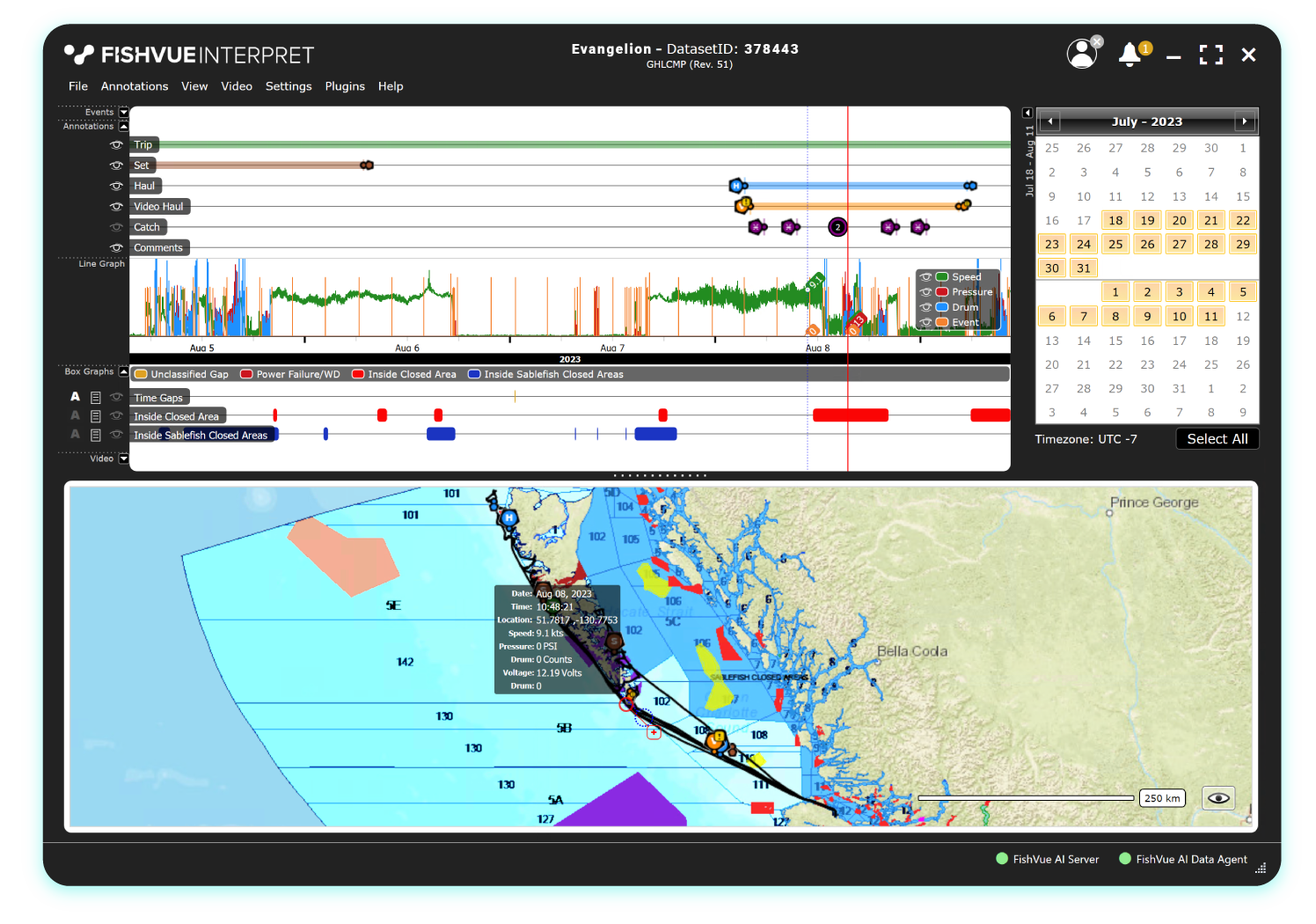
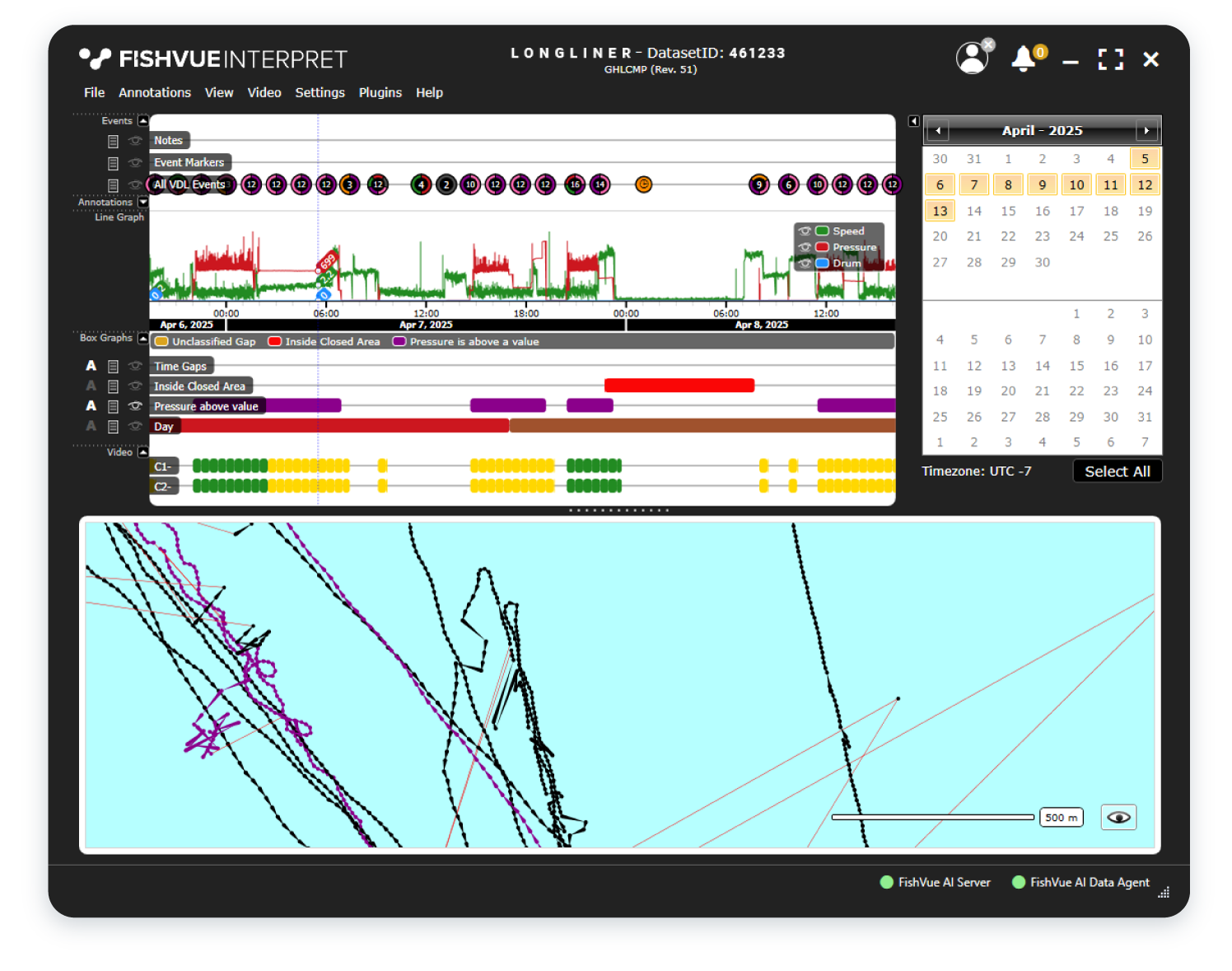
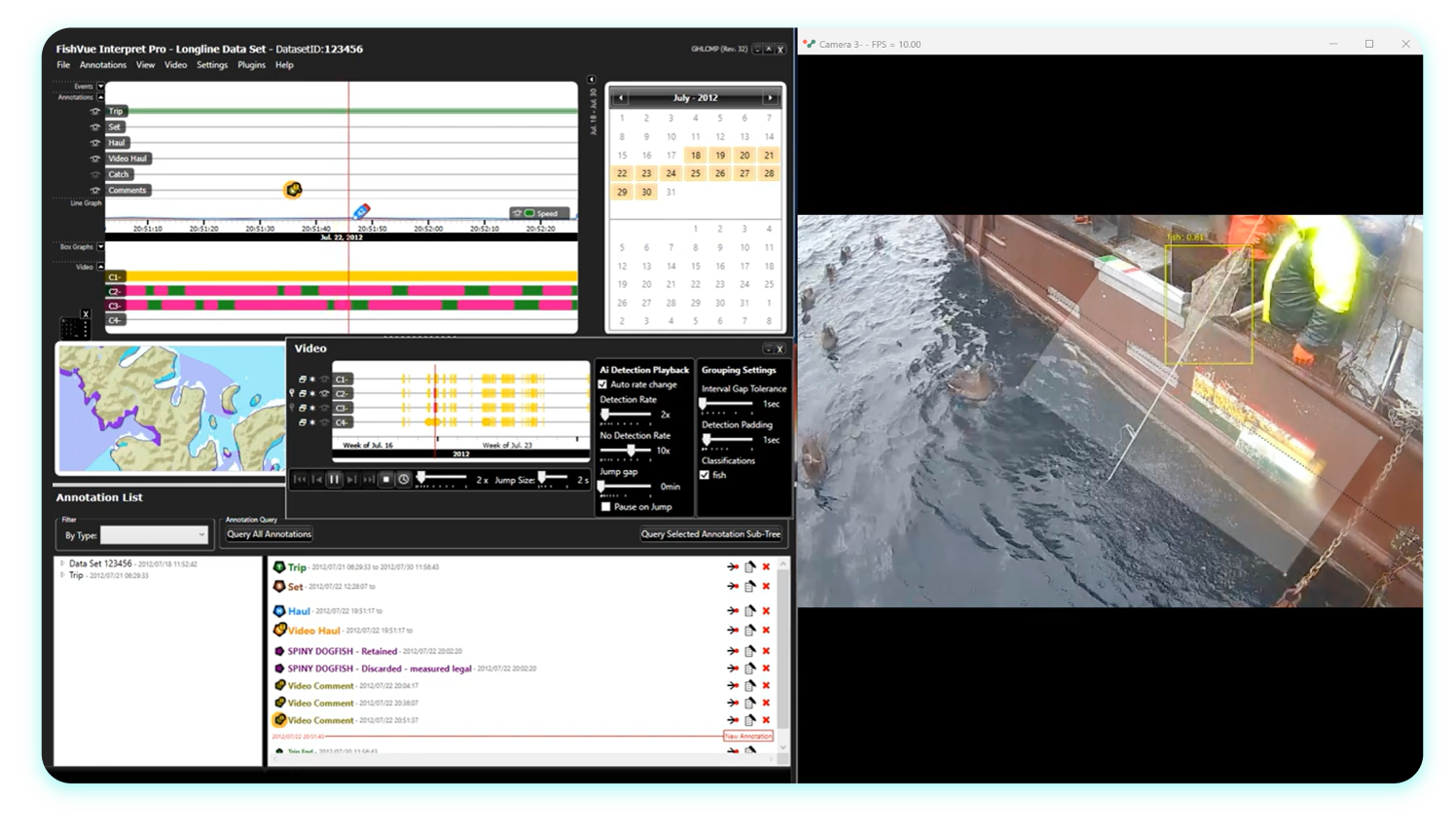
Interpret combines EM records into an integrated review workspace. The interface links a time series view, calendar filtering, map-based cruise tracks, and a cruise-track table so reviewers can move between time, location, and event context without losing alignment.
- Time series shows events, graphs, annotations, and video timing
- Map view links positions to the same time reference
- Calendar filtering supports day-by-day review
- Cruise-track table provides record-level detail
Jump to what matters faster
Rapid navigation across time and map.
Interpret is designed to help reviewers work through high-volume data efficiently. Zoom and pan controls, point highlighting, and linked views make it faster to locate relevant moments and confirm details without manually scrubbing through everything.
- Mouse-wheel zoom and drag-to-select ranges
- Double-click highlights time, map point, and related video
- Hover summaries provide quick point details
- Linked displays reduce re-checking between views
Record observations with consistent structure
Structured annotations for review-ready outputs.
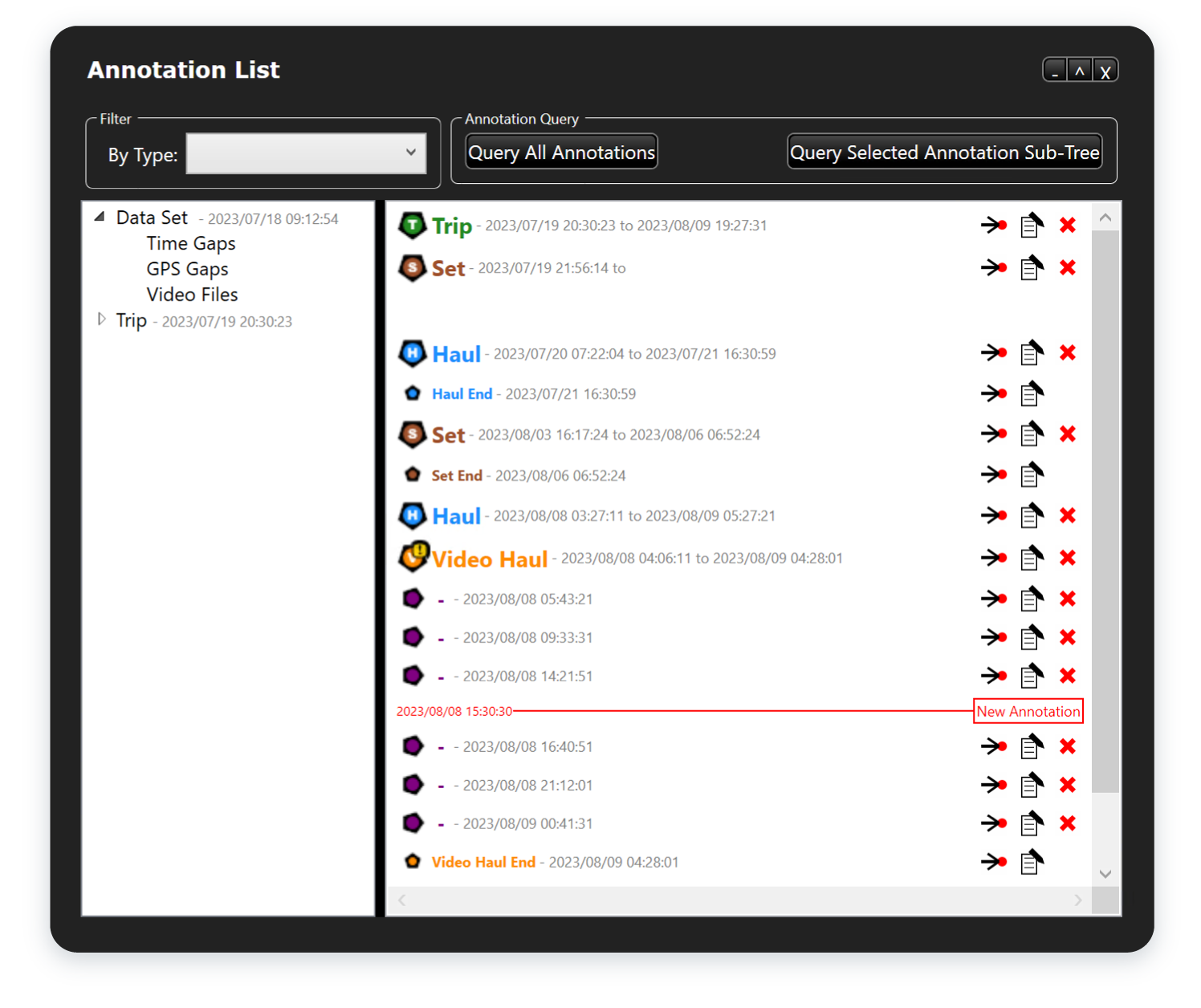
Interpret Pro is built for reviewers who need to document decisions, not just view data. Reviewers can create and manage annotations (including grouping and editing), capture notes, and use the length measurement tool to record estimated fish size based on calibrated reference points.
- Create interval or point annotations (Pro)
- Group and manage annotation structures (Pro)
- Length measurement tool for catch items (Pro)
- Notes support for review documentation
Video evidence, aligned to the record
Time-synced video with sensor context.
Interpret can display time-synced video alongside the rest of the trip record, supporting event-level review and verification. Reviewers can clip video around points or intervals and copy still imagery when needed for documentation or follow-up.
- Video and data remain time-aligned
- Clip video around points, intervals, or annotations
- Copy still images from video
- Supports recording observations while reviewing
See Interpret consolidate data for review.
A walkthrough of Interpret’s synced timeline, map, sensors, and video review. See how reviewers identify fishing events, flag gaps, use geofences and annotations, and apply AI detections and length measurement.
Versions, Integration, and Setup
Options for different roles, plus tooling to support scalable review workflows.
Different features for different users
Viewer modes aligned to job needs.
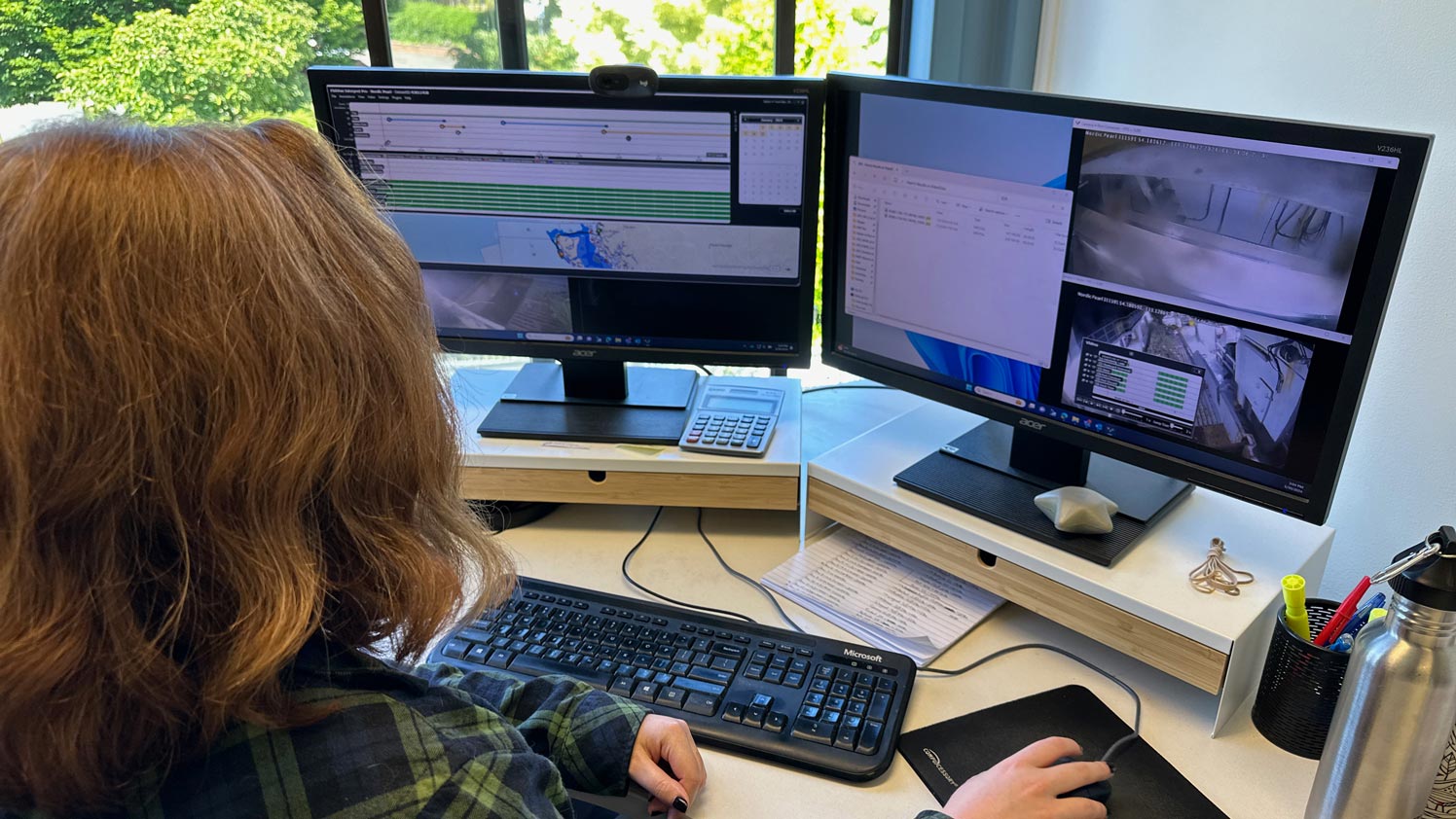
Interpret offers Pro and Lite to match different users and responsibilities. Pro is designed for professional reviewers and includes data management and annotation tools for structured outputs. Lite supports quick access in the office or dock context and includes standard and technician viewing modes for activity viewing or system diagnostics.
- Pro: annotation and data management features
- Lite: fast access without saving or viewing annotations
- Lite: standard mode and technician mode options
- Both: view video, sensor data, and cruise tracks (feature-dependent)
Connect Interpret to FishVue AI
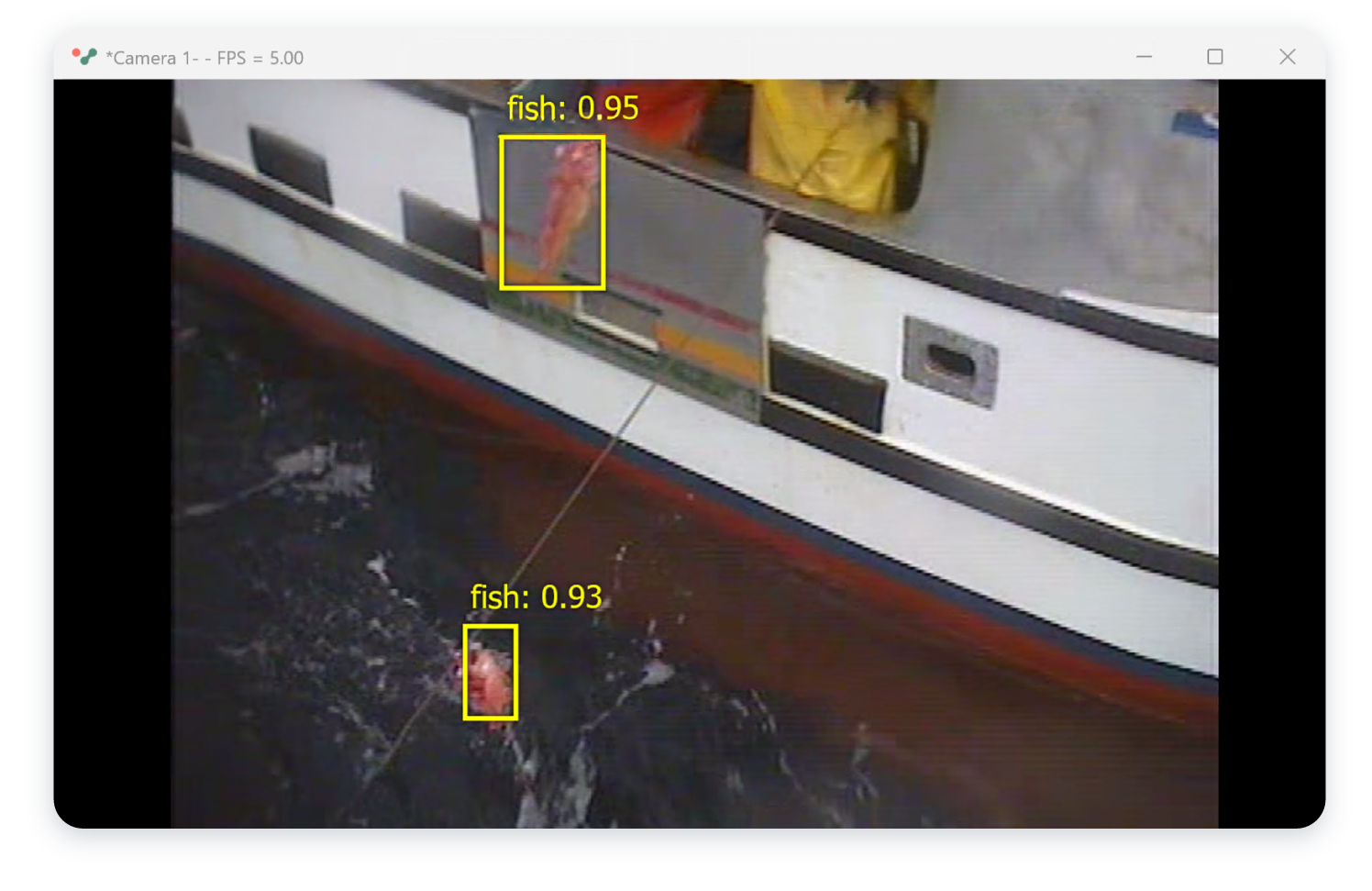
Detections displayed alongside video review.
Interpret’s FishVue AI integration supports end-to-end AI-assisted review inside the desktop workflow. Users can configure the AI connection, select the interval annotation type for analysis, and choose an AI model. Interpret can discover AI servers on the network or allow manual server configuration when needed.
- FishVue AI settings available in Interpret
- Interval type selection for AI analysis
- Automatic server discovery with manual override option
- AI model selection supported
Configure and run reliably at scale
Secure access and predictable data loading.
Interpret is designed for Windows 11 Pro workstations and can be configured for different performance tiers, including multi-camera playback supported by dedicated GPUs and SSD storage. It also supports encryption for EM data, denying access to encrypted datasets unless the appropriate decryption key is installed for the fishery.
- Windows 11 64-bit Professional recommended
- SSD required; dedicated SSD recommended for throughput
- Multi-camera playback guidance by CPU/GPU tier
- Encrypted dataset access controlled by decryption keys