
Help and support

Everything you need to get your unit running and keep it running.
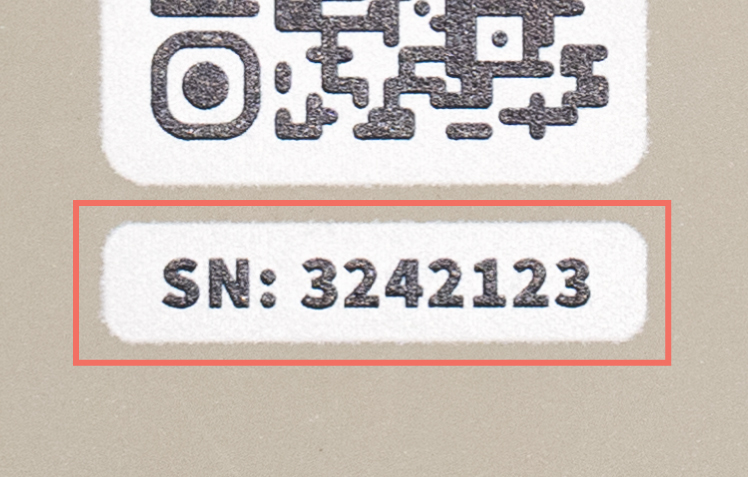
Find your serial number
You need your LIME serial number to buy a subscription and to check that your unit is working. It’s printed on the front of the unit, under the QR code, after the letters SN.
Your unit only sends data when it has an active subscription. Without one, your fishing data won't reach the agency that manages your fishery. Each subscription lasts one fishing season.
Before you buy
Have these ready.
Buy your subscription
New or renewing, you buy from the same online store.
Buying on your phone? After you tap Add to Cart, the page may go back to a blank form. Your subscription was still added. Tap the cart icon at the top right to finish.
The store opens on a sign-in page. If you've bought before, log in to go straight to buying. New to the store? Open First time buying below.
After you buy
Watch your inbox.
You'll get a confirmation email once your purchase goes through. Your unit is then active and starts sending data. No email? Check your junk or spam folder.
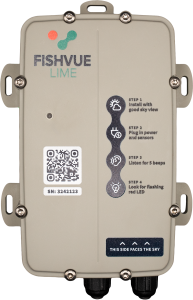
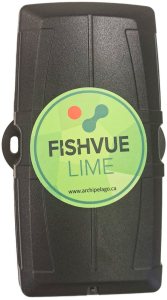
LIME units come in two colors, gray and black, and each one installs differently. Check which color yours is, then open that manual.
Pressure sensor
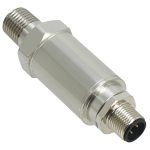
Some units come with a hydraulic pressure sensor. If yours did, install it using the sensor's own manual.
Approved installers
Rather have someone install it for you? Archipelago keeps a list of approved installers.
Check two things: that your unit has power, and that its data is reaching Archipelago. One can work while the other doesn't, so check both.
On the boat
Checks that your unit has power. Once it's mounted and connected, check these three things.
Mount it with a clear view of the sky. Nothing should cover the unit from above, or it can't pick up GPS.
Listen for five beeps. This confirms the unit powered on correctly.
Look for a flashing red light. This means the unit is running.
No beeps or no flashing red light? Contact technical support before you head out.
From shore
Checks that your data is reaching Archipelago. A unit can have power and still send nothing. The most common reason is an expired subscription.
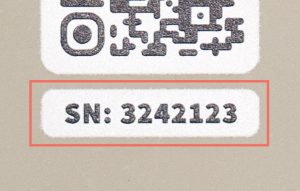
Enter your serial number to see when your unit last sent data to Archipelago.
Checking your unit…
Enter the serial number printed on your unit.
Go through the on the boat checks above. An expired subscription also stops your unit from sending data, so check yours in step 1.
We couldn't find that number. Check the serial number printed on your unit and try again.
Wait a minute, then try again.
See your trips on a map and your sensor readings in FishVue Fleet. Open FishVue Fleet
Renewing for a new season? You buy your subscription in step 1.
Still stuck?
Search our help center for answers, or email our technical support team.